As we navigate through the 21st century, the automotive industry is witnessing a revolutionary shift towards electric vehicles (EVs). This transition is not only driven by technological advancements but also by a collective push for sustainable and eco-friendly transportation solutions.
In this blog post, we’ll explore the future of electric vehicles, delving into the opportunities they present and the challenges they face.
Sustainable Opportunities of Electric Vehicles
Electric car sales are reaching new heights. The International Energy Agency (IEA) reports that in 2023, close to 14 million electric cars were sold worldwide, an increase of 35% over 2022. This momentum is expected to continue in 2024, with projections reaching 17 million sales by year-end.
Looking at the rapid demand for EVs, here are the opportunities that are bringing people to opt for sustainability over pollution.
1. Environmental Benefits of Electric Vehicles
One of the most significant advantages of electric vehicles is their potential to reduce carbon emissions. Traditional gasoline-powered vehicles are a major contributor to air pollution and greenhouse gas emissions. EVs, on the other hand, produce zero tailpipe emissions, helping to improve air quality and mitigate climate change.
2. Technological Innovations Driving EV Adoption
The rapid advancement in battery technology is a game-changer for the electric vehicle market. Modern EV batteries are becoming more efficient, affordable, and capable of longer ranges.
Innovations like solid-state batteries promise even greater energy density and faster charging times, making electric vehicles more convenient for everyday use.
3. Government Incentives and Policies
The cost of EVs is coming down, making them more accessible to consumers. A recent study suggests that the average purchase price of a new fully electric vehicle is expected to decline by nearly 25% over the next few years. Governments around the world are recognizing the importance of transitioning to electric vehicles. Various incentives, such as tax credits, rebates, and subsidies, are being offered to encourage consumers to purchase EVs.
The shift to electric vehicles is opening up new economic opportunities. The EV industry is creating jobs in manufacturing, research and development, and infrastructure development.
Moreover, the growth of EVs is fostering innovation in related fields, such as renewable energy and smart grid technology.
a. Job Creation
The electric vehicle industry is generating a multitude of jobs, from battery production to EV manufacturing and maintenance.
As the demand for EVs rises, so does the need for skilled labor, contributing to economic growth and job security.
b. Growth of the Renewable Energy Sector
The integration of electric vehicles with renewable energy sources, like solar and wind power, is driving advancements in clean energy technologies.
This synergy not only helps reduce the overall carbon footprint but also promotes the growth of the renewable energy sector.
c. Expansion of Charging Infrastructure
Building a robust EV charging network requires significant investment, creating opportunities for businesses specializing in charging solutions.
This infrastructure expansion supports the broader adoption of EVs and enhances the convenience for EV owners.
d. Innovation in Battery Recycling
As the number of electric vehicles increases, so does the need for effective battery recycling solutions.
Companies specializing in battery recycling and second-life applications for EV batteries are emerging, offering sustainable solutions and creating new market opportunities.
5. Energy Independence
Electric vehicles offer a pathway to reduce dependence on imported oil, enhancing national energy security.
By diversifying energy sources and relying more on domestic electricity production, countries can achieve greater energy independence and stability.
Challenges Facing the Electric Vehicle Industry
While electric vehicles offer a promising future for sustainable transportation, there are still challenges that need to be addressed for wider adoption. Here’s a look at some key challenges and ongoing research efforts:
1. Infrastructure Development
One of the primary challenges for widespread EV adoption is the lack of charging infrastructure. Although the number of charging stations is increasing, there is still a long way to go before EVs can match the convenience of gasoline stations. Investing in and expanding the charging network is crucial for the future of electric vehicles.
2. High Initial Costs
While the cost of EVs is gradually decreasing, they are still more expensive upfront compared to traditional vehicles. However, it’s important to consider the long-term savings on fuel and maintenance, which can offset the higher initial investment. Continued advancements in battery technology and economies of scale will likely bring down costs further.
3. Battery Recycling and Sustainability
As the number of electric vehicles grows, so does the need for sustainable battery disposal and recycling methods. Developing efficient recycling processes for EV batteries is essential to minimize environmental impact and recover valuable materials for reuse.
4. Range Anxiety
Range anxiety, or the fear of running out of battery power before reaching a charging station, remains a concern for many potential EV buyers. Improving battery range and expanding the charging infrastructure can help alleviate these fears and make EVs more appealing to a broader audience.
What is the future of Electric Vehicles?
Despite the challenges, the future of electric vehicles looks promising. The environmental benefits, technological advancements, and supportive government policies are driving the adoption of EVs worldwide.
As infrastructure improves and costs decrease, electric vehicles are poised to become a mainstream choice for consumers.
Final Thoughts!
The transition to electric vehicles is a critical step towards a more sustainable and environmentally-friendly future. While there are hurdles to overcome, the opportunities presented by EVs far outweigh the challenges. By embracing this electric revolution, we can pave the way for cleaner air, reduced dependence on fossil fuels, and a more sustainable world.
Therefore, you can rely on us for product engineering and other tech and digital-related services for your automotive needs.
if you are Interested in learning more about the automotive industry and staying updated on the latest trends and innovations, subscribe to our newsletter and join us in exploring the exciting future of electric transportation.
Do you know? According to McKinsey, customer behavior analytics users see 85% higher sales growth and 25%+ gross margin in their business. understanding your customers has never been more critical.
The key to staying ahead of the curve lies in utilizing the power of customer analytics. This data-driven approach allows businesses to gain profound insights into customer behavior, preferences, and needs, ultimately leading to smarter decision-making and more effective marketing strategies.
In this comprehensive guide, we will delve deep into the world of customer behavior analytics, exploring its various types, best practices, and the essential tools that can empower your business to thrive in the digital age.
What is Customer Analytics?
Customer analytics is the systematic examination of customer data and behavior patterns to extract valuable insights of your retail store. It involves gathering and analyzing data from various touch points to comprehend customer preferences, identify trends, and optimize business strategies.
This data can be collected from sources such as websites, mobile apps, social media, customer surveys, and more.
Why Customer Analysis is Important?
There are 5 main reasons of importance of customer analysis in businesses. Below are the reasons every business should have a look…
1. Uncover the Voice of Your Customers
Listen to what matters: Analyze customer feedback from surveys, social media, and support interactions to understand their needs, frustrations, and preferences.
Identify recurring themes: Analyze trends and patterns in customer interactions to uncover common pain points and areas for improvement.
Gain deeper insights: Utilize sentiment analysis to understand the emotional tone of customer feedback and identify areas of dissatisfaction.
2. Optimize Your Service Channels
Identify preferred channels: Analyze customer activity across different channels (phone, email, chat, etc.) to identify their preferred methods of contact.
Map customer journeys: Analyze the steps customers take to resolve issues and identify opportunities to streamline the process.
Automate routine tasks: Leverage AI and chatbots to handle basic inquiries and free up human agents for complex issues.
3. Boost Agent Productivity and Performance
Identify skill gaps: Analyze agent performance data to identify areas where training and coaching are needed.
Provide real-time feedback: Utilize dashboards and scorecards to give agents instant feedback on their performance and areas for improvement.
Optimize agent schedules: Analyze peak call times and agent availability to ensure adequate staffing during busy periods.
4. Measure and Track Success
Define key performance indicators (KPIs): Set clear and measurable goals for your customer service team, such as first response times, resolution rates, and customer satisfaction scores.
Track progress over time: Utilize data visualization tools to monitor your progress towards your goals and identify areas where you’re excelling or falling short.
Make data-driven decisions: Use your consumer analysis insights to make informed decisions about resource allocation, training programs, and technology investments.
5. Personalize the Customer Experience
Analyze individual customer data: Gain insights into each customer’s needs, preferences, and purchase history to offer personalized support and recommendations.
Proactive engagement: Utilize predictive analytics to identify potential issues and proactively reach out to customers before they experience problems.
Tailor communication: Customize your communication style and content based on each customer’s preferred language, channel, and communication style.
Types of Customer Analytics
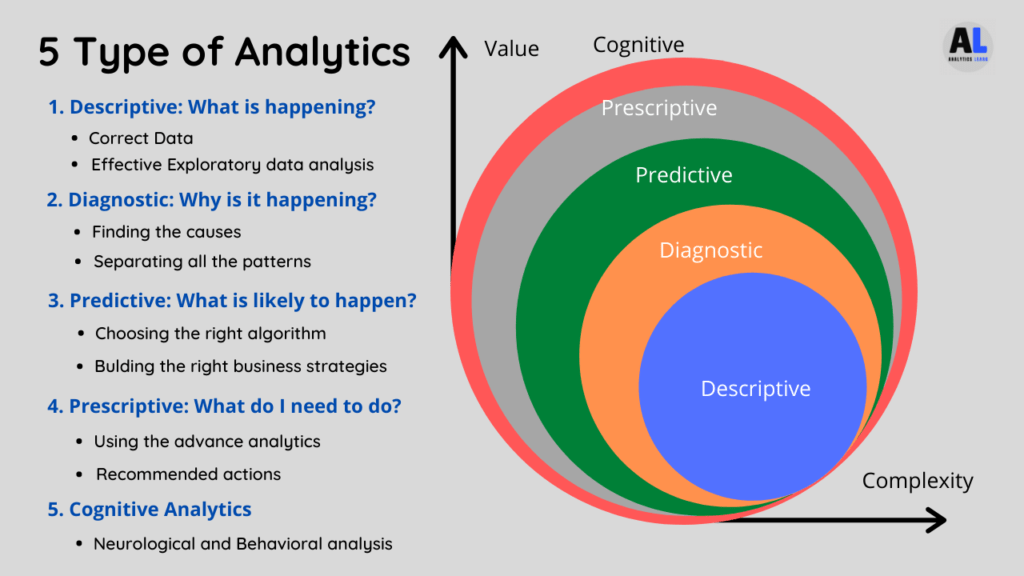
Certainly! Customer behavior analytics comes in various types, each serving a unique purpose to help businesses better understand their customers. Let’s break down these types in a more easy-to-understand way:
Descriptive Analytics
Descriptive analytics is all about understanding what has happened in the past. It involves summarizing historical data to provide insights into customer behavior.
This type of customer analytics is foundational, as it helps in identifying patterns and trends.
Diagnostic Analytics
Diagnostic analytics goes a step further by analyzing why certain events occurred. It helps in pinpointing the root causes of specific customer behaviors or outcomes.
For instance, it can uncover why customers abandon their shopping carts on your e-commerce site.
Predictive Analytics
Predictive analytics uses historical data to make forecasts about future customer behavior. By leveraging machine learning and statistical algorithms, businesses can anticipate customer actions and adjust their strategies accordingly.
This is invaluable for proactive decision-making.
Prescriptive Analytics
Prescriptive analytics takes predictive retail store analytics a step further by providing recommendations on what actions to take.
It helps in optimizing decision-making processes, suggesting the best course of action to achieve desired outcome.
Cognitive Analytics
Cognitive analytics is the most advanced type of analytics. It uses artificial intelligence (AI) and machine learning to mimic the human brain’s ability to learn and reason.
This can be used to analyze complex data sets, identify patterns & insights that would be missed by traditional analytics methods, and make better decisions in real-time.
7 Customer AnalyticsBest Practices
To extract maximum value from consumer analysis, businesses like retail stores should follow these best practices:
1. Define Clear Objectives
Begin with a clear understanding of what you want to achieve through customer behavior analytics. Whether it’s improving customer retention, increasing sales, or enhancing the user experience, well-defined objectives will guide your efforts.
2. Collect Quality Data
Ensure that you gather accurate and relevant data from diverse sources. Clean and structured data is essential for meaningful analysis.
3. Invest in Analytics Tools
Choose the right analytics tools and technologies that align with your objectives. Popular choices include Google Analytics, Adobe Analytics, and customer relationship management (CRM) systems like Salesforce.
4. Segment Your Customer Base
Segmentation allows you to group customers with similar traits or behaviors. This enables personalized marketing efforts and tailored product recommendations.
5. Embrace Predictive and Prescriptive Analytics
Go beyond descriptive analytics to harness the power of predictive and prescriptive analytics. Predict future trends and receive actionable recommendations for optimal decision-making.
6. Ensure Data Privacy and Security
Protect customer data at all costs. Comply with data protection regulations like GDPR and ensure robust security measures are in place to safeguard sensitive information.
7. Foster a Data-Driven Culture
Encourage your team to embrace data-driven decision-making. Make data accessible and promote a culture of continuous learning and improvement. Unlocking the full potential of your e-commerce business requires the expertise of professionals who can delve deep into the data, extracting invaluable insights.
These experts effortlessly transform raw data into actionable insights, providing you with a comprehensive understanding of your retail store’s health.
Don’t hesitate to reach out to a trustworthy and reliable customer analytics service provider to enhance and optimize your e-commerce operations.
According to Experience management, they analyzed customer behavior and got to know that 63% of consumers suggest companies to listen their feedback for improvement.
Moreover, 62% of customers quote companies should care about their needs and requirement the most, and lastly 60% of them suggested businesses to treat them well if they want them to buy their products.
Customer Analytics Examples for Different Industries
Customer analytics goes beyond just collecting data. It’s about using that data to understand your customers’ behavior, motivations, and preferences. This allows businesses to make informed decisions that improve customer experience, drive sales, and foster loyalty.
Here are some examples of how customer behavior analytics can be applied in real-world scenarios of different industries:
Retail
Understanding customer preferences: Retailers can analyze purchase history, browsing behavior, and loyalty program data to understand what products customers are interested in, how they shop, and what factors influence their purchasing decisions.
This information can be used to personalize marketing campaigns, optimize product placement in stores, and develop targeted promotions.
Optimizing inventory management: By analyzing sales data and customer trends, retailers can forecast demand for products and avoid stockout or overstocking. This can help to improve efficiency and profitability.
Financial Services
Identifying fraud: Financial institutions can use customer analytics to identify suspicious activity and prevent fraud. This can be done by analyzing transaction patterns and identifying anomalies.
Personalized financial products: Banks and other financial institutions can use customer analytics to understand their customers’ financial needs and goals.
This information can be used to develop personalized financial products and services.
Healthcare
Improving patient outcomes: Healthcare providers can use customer analytics to track patient data and identify trends.
This information can be used to improve patient care and develop more effective treatment plans.
Predicting patient behavior: By analyzing patient data, healthcare providers can predict which patients are at risk of certain conditions.
This information can be used to intervene early and prevent these conditions from developing.
Manufacturing
Identifying product defects: Manufacturers can use customer analytics to identify product defects and improve quality control. This can be done by analyzing customer complaints and warranty claims.
Predictive maintenance: By analyzing sensor data from machines, manufacturers can predict when maintenance is needed. This can help to prevent downtime and improve efficiency.
Media & Entertainment
Content recommendations: Streaming services and other media companies can use customer analytics to recommend content to users.
This can be done by analyzing their viewing history and preferences.
Understanding audience preferences: Media companies can use customer analytics to understand what type of content their audience is interested in.
This information can be used to develop new content and programming.
Education
Personalized Learning: Analyze student data (grades, test scores, engagement metrics) to understand strengths and weaknesses.
Tailor instruction to individual needs, recommending resources or offering targeted interventions.
Predicting Student Success: Identify students at risk of dropping out or needing extra support based on attendance, behavior, and academic performance.
Proactive interventions can significantly improve outcomes.
Optimizing Course Content and Delivery: Analyze student engagement with online learning materials or performance in specific topics.
Use this data to improve course content, identify areas needing more explanation, or adjust teaching methods.
Marketing and Recruitment: Identify characteristics of successful students and target marketing efforts to attract similar profiles.
Analyze website traffic and program inquiries to understand where potential students are coming from and what information they seek.
Real Estate
Understanding Market Trends: Analyze past sales data, demographics, and economic indicators to predict future trends in property values, rental rates, and market demand.
This helps investors make informed decisions and brokers price properties competitively.
Targeted Marketing: Analyze buyer demographics, search history, and property preferences to target marketing campaigns.
Recommend properties that closely match buyer needs and personalize advertising for different segments (first-time buyers, families, investors).
Improving Property Management: Analyze historical maintenance records and tenant data to predict future repairs and optimize maintenance schedules.
Analyze tenant satisfaction surveys to identify areas for improvement in property management services.
Optimizing Pricing Strategies: Analyze comparable properties, market conditions, and listing days to suggest optimal listing prices for sellers.
This helps sell properties faster and at a fair market value.
Top 3 Customer Analytics Tools
Choosing the right customer analytics tools is crucial for effective analysis of target audience behavior. Here are some of the best tools in the field: Let’s have an overview:-
1. Google Analytics
A versatile and widely-used tool, Google Analytics offers insights into website and app performance. It provides data on user behavior, traffic sources, and conversion rates.
2. Tableau
Tableau is a robust data visualization tool that allows you to create interactive and shareable dashboards. It helps in presenting complex data in a comprehensible manner.
4. Mixpanel
Mixpanel specializes in event-based analytics, helping businesses understand user interactions with their digital products. It’s commonly used for mobile app analytics.
Wrapping Up!
In an era where data control supreme, customer analytics emerges as the secret weapon that can propel your business forward. By understanding your customers on a profound level, you can make informed decisions, personalize customer experiences, and gain a competitive edge in the market.
Remember, successful customer behavior analysis involves a combination of the right tools, quality data, and a commitment to best practices. With these elements in place, your business can thrive, ensuring long-lasting customer satisfaction and sustained growth.
So, empower your online retail store by fixing an appointment with a trusted expert, and enjoy the data-driven success!
A mid-sized tech company specializing in innovative software solutions approached us with a pressing challenge: their brand awareness was stagnating. Despite having a solid product and a loyal customer base, their market presence was not growing at the desired pace. Then, they reached to with their concern.
Our team at The Expert Community analyzed the problem and came up with proven solutions.
The Challenge
The tech firm had been operating for over a decade, but their branding and market positioning had become outdated. Their primary challenges included:
Stagnant Brand Awareness: Limited market reach and recognition.
Outdated Brand Image: Perceptions that did not align with their innovative products.
Inconsistent Messaging: Disparate communication across various channels.
The Solution
Our approach to resolving these challenges involved a comprehensive strategic repositioning plan. Here’s how we did it:
1. Market Research and Analysis
Understand the current market overview and the firm’s position within it.
Actions we took
Conducted surveys and focus groups with existing and potential customers.
Analyzed competitors’ branding and market strategies.
Assessed market trends to identify opportunities for differentiation.
2. Redefining the Brand Identity
Refresh the brand image to reflect the firm’s innovative spirit.
Actions we took
Developed a new brand identity, including a modern logo, color palette, and tagline.
Created brand guidelines to ensure consistency across all platforms.
3. Crafting a Unified Messaging Strategy
Ensure consistent and compelling communication across all channels.
Actions we took
Developed a cohesive brand story and key messaging points.
Trained the company’s marketing and sales teams on the new messaging strategy.
4. Enhancing Digital Presence
Increase online visibility and engagement.
Actions we took
Redesigned the company’s website to be more user-friendly and visually appealing.
Created engaging content tailored to each social media platform.
Partnered with industry influencers to amplify the brand’s reach and credibility.
Ran targeted social media advertising campaigns to reach new audiences.
The Results
From Lifeless to Full of Life!
Within 8 months of implementing the strategic repositioning plan, the firm experienced significant improvements:
Increased Brand Awareness
30% increase in brand recognition in industry surveys.
50% increase in social media followers and engagement.
Enhanced Market Position
Positive shifts in customer perceptions, aligning more closely with innovation and leadership.
Improved competitive positioning, with more frequent mentions alongside top industry players.
Boosted Web Traffic and Lead Generation
40% increase in website traffic, primarily driven by SEO and content marketing efforts.
25% increase in qualified leads generated through the website.
Strategic repositioning was key to revitalizing the tech firm’s brand and expanding its market presence. Through a well-executed plan, we were able to significantly increase our client’s business brand awareness and market reach.
If you’re looking to transform your brand and boost your market presence, count on us to deliver results. Contact us today to start your journey towards becoming a recognized leader in your industry.
Having the right tools for entrepreneurs at your disposal is crucial for running your business smoothly and efficiently. Whether you’re managing a startup or an established company, the right tools can streamline operations, enhance productivity, and ultimately drive success.
Here, we present 10 essential tools for entrepreneurs that can help you run your business effectively.
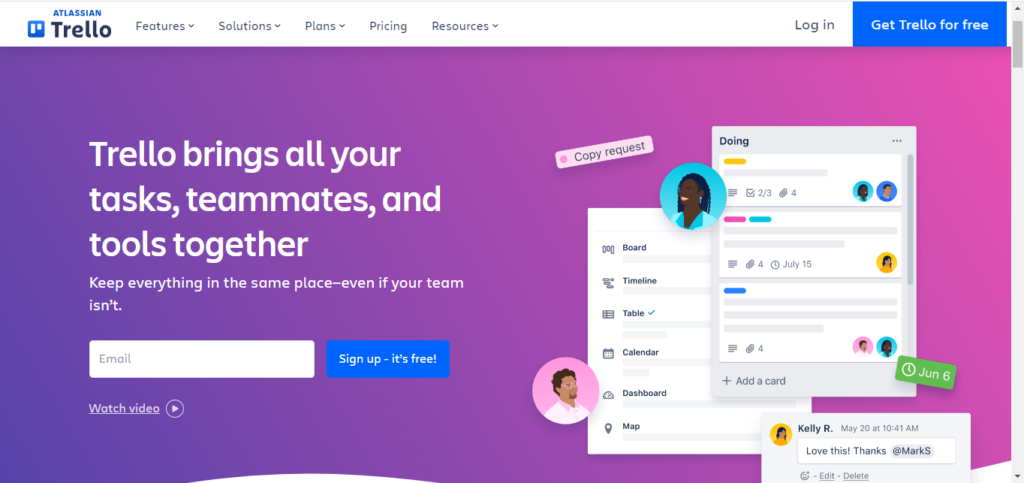
1. Trello – Project Management Made Simple
Trello is a versatile project management tool for entrepreneurs that uses boards, lists, and cards to help you organize and prioritize your projects. Its visual interface makes it easy to track progress and collaborate with your team. Moreover, Trello is perfect for entrepreneurs who need to manage multiple projects and ensure that nothing falls through the cracks.
Key Features
Drag-and-Drop Interface: Easily move tasks around to reflect project changes.
Integration with Other Apps: Connect with tools like Slack, Google Drive, and more.
Customizable Workflows: Adapt boards to suit various project management styles.
Pricing Guide
Free Plan: Basic boards, lists, and cards.
Business Class: $10 per user/month (billed annually) – Advanced features and integrations.
Enterprise: Custom pricing – Enhanced security and administrative controls.
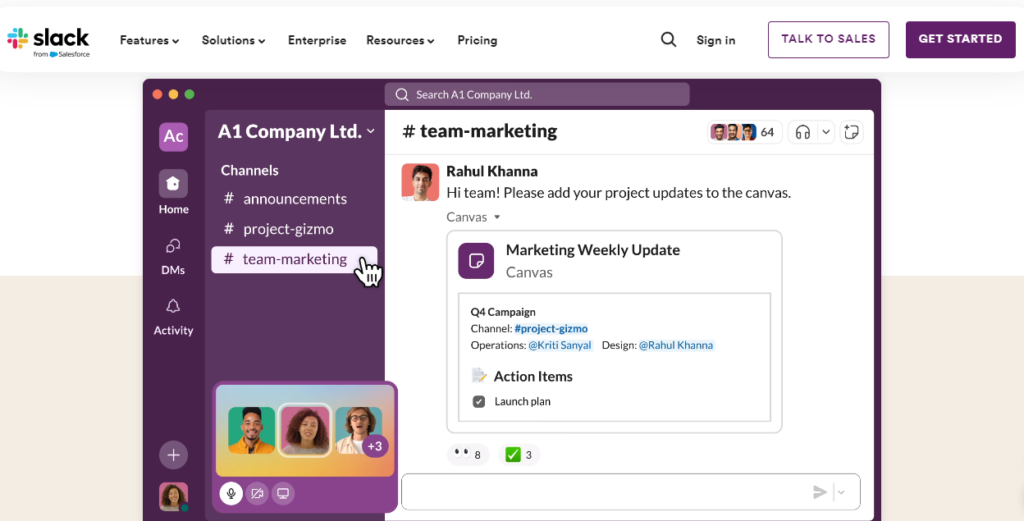
2. Slack – Seamless Team Communication
Communication is the backbone of any successful business. Slack– the best communication tool for small business provides a platform for real-time messaging, file sharing, and collaboration. With its channels, you can organize conversations by topics, projects, or teams, making communication clear and efficient.
Key Features
Channels for Different Topics: Create specific channels for projects, departments, or discussions.
Direct Messaging: Private conversations with team members.
Integration with Other Tools: Seamlessly connects with other business tools.
Pricing Guide
Free Plan: Limited message history and integrations.
Pro Plan: $7.25 per user/month (billed annually) – Full message history, unlimited integrations.
Business+: $12.50 per user/month (billed annually) – Advanced features and compliance
3. QuickBooks – Simplified Accounting
Keeping track of your finances is essential, and QuickBooks makes this task easier. This accounting tool for entrepreneur helps you manage your income and expenses, track sales and payments, and generate financial reports. QuickBooks is user-friendly and ideal tools for entrepreneurs with little accounting experience.
Key Features
Expense Tracking: Automatically import and categorize expenses.
Invoicing: Create and send custom invoices quickly.
Financial Reporting: Generate detailed reports on your financial health.
Pricing Guide
Simple Start: $25 per month – Basic accounting features.
Essentials: $50 per month – Additional users and features.
Plus: $80 per month – Advanced tracking and reporting.
Advanced: $180 per month – Advanced capabilities for larger businesses.
4. Google Workspace – All-in-One Productivity tools for entrepreneurs
Google Workspace (formerly G Suite) offers a suite of cloud-based productivity tools including Gmail, Google Drive, Google Docs, and Google Sheets. These tools for entrepreneurs enable seamless collaboration and ensure that your team can work from anywhere with internet access.
Key Features
Cloud Storage: Store and access files securely from any device.
Real-Time Collaboration: Work simultaneously on documents with team members.
Professional Email: Use your domain name for professional email addresses.
Pricing Guide
Business Starter: $6 per user/month – Basic productivity tools.
Business Standard: $12 per user/month – Additional storage and features.
Business Plus: $18 per user/month – Enhanced security and compliance.
Enterprise: Custom pricing – Advanced features and support.
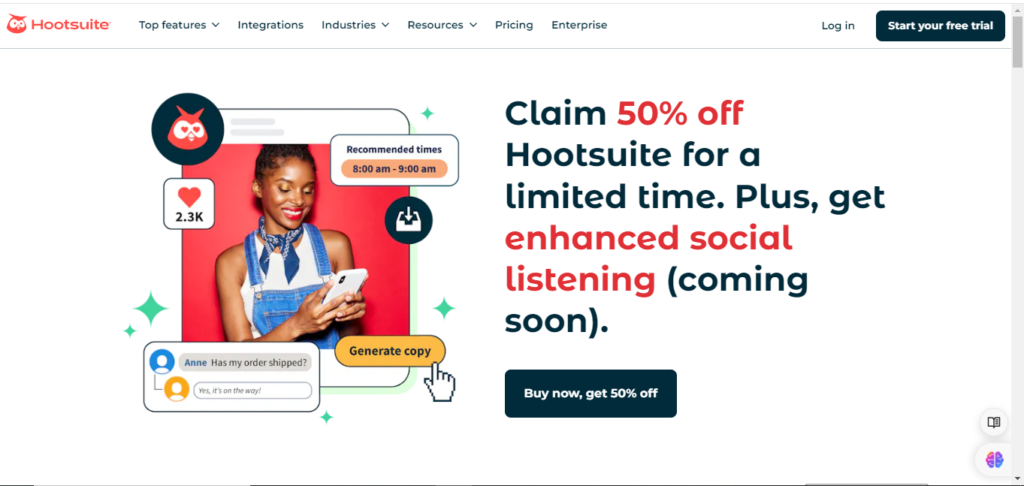
5. Hootsuite – Social Media Management tool for entrepreneurs
Social media presence is vital for modern businesses. Hootsuite allows you to manage all your social media accounts in one place. You can schedule posts, monitor engagement, and analyze performance across multiple platforms.
Key Features
Post Scheduling: Plan and schedule posts in advance.
Social Media Monitoring: Track mentions and engage with your audience.
Analytics: Measure performance and refine your strategy.
Pricing Guide
Free Plan: Manage 2 social accounts, schedule 5 posts.
Professional: $99 per month – Manage 10 social accounts, unlimited posts.
Team: $249 per month – For small teams, manage 20 social accounts.
Business: $739 per month – Advanced features for larger teams.
Enterprise: Custom pricing – Tailored solutions for large organizations.
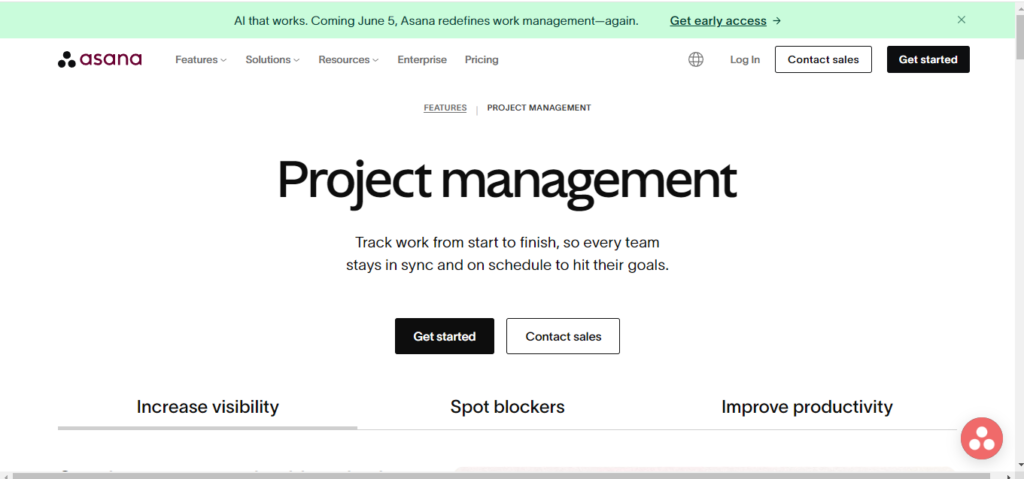
6. Asana – Advanced Task Management
For entrepreneurs needing more detailed project management, Asana provides advanced task management features. You can create tasks, set deadlines, assign them to team members, and track progress through various views like lists, boards, and calendars.
Key Features
Task Assignments: Assign tasks and deadlines to team members.
Project Timelines: Visualize project timelines and dependencies.
Team Collaboration: Share project plans and progress with your team.
Pricing Guide
Basic: Free – Basic task and project management.
Premium: $10.99 per user/month (billed annually) – Advanced project tracking.
Business: $24.99 per user/month (billed annually) – Additional features for managing larger projects.
Enterprise: Custom pricing – Comprehensive features and security.
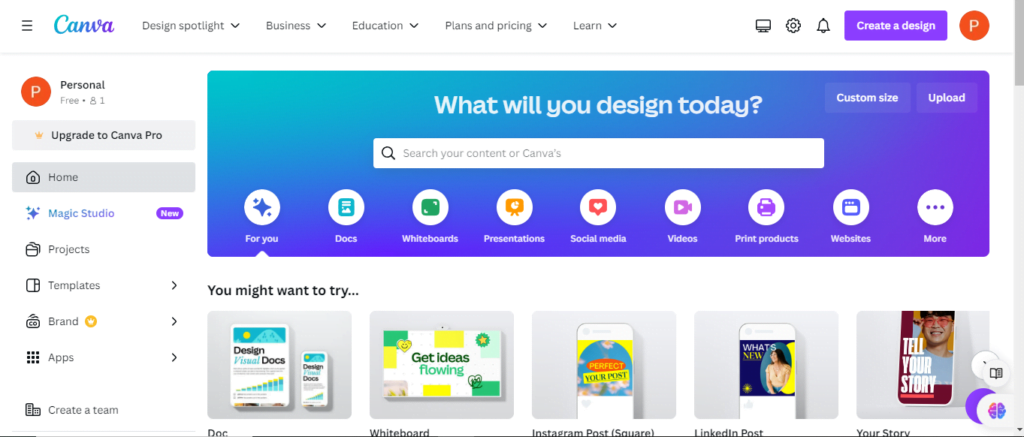
7. Canva – Easy Graphic Design
Creating professional graphics for your marketing materials doesn’t require hiring a designer. Canva– the best graphic design tool for small business offers an easy-to-use platform where you can design everything from social media posts to business cards using customizable templates.
Key Features
Design Templates: Access thousands of pre-made templates.
Drag-and-Drop Interface: Easily create designs without technical skills.
Branding Tools: Maintain brand consistency with custom color palettes and logos.
Pricing Guide
Free Plan: Basic design tools and templates.
Pro: $12.99 per user/month (billed annually) – Access to premium content and features.
Enterprise: $30 per user/month (billed annually) – Advanced tools for teams and organizations.
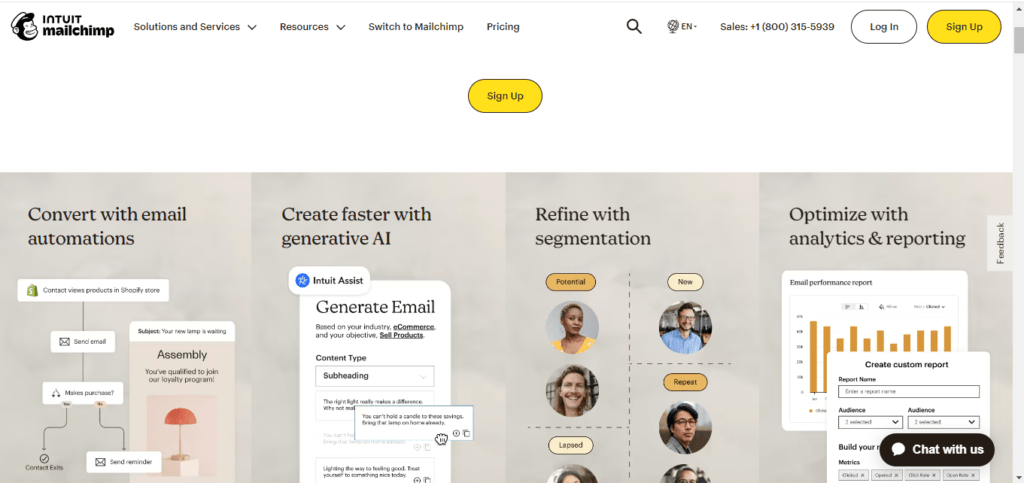
8. Mailchimp – Email Marketing Simplified
Next, email marketing is a powerful way to reach your audience, and Mailchimp simplifies this process. In addition, it offers tools to create email campaigns, automate email sequences, and analyze campaign performance.
Key Features
Email Templates: Design emails with drag-and-drop templates.
Automation: Set up automated email sequences for customer journeys.
Detailed Analytics: Track open rates, click-through rates, and more.
Pricing Guide
Free Plan: Up to 500 contacts, basic features.
Essentials: Starting at $13 per month – Additional contacts and features.
Standard: Starting at $20 per month – Advanced automation and analytics.
Premium: Starting at $350 per month – Advanced targeting and reporting for large audiences.
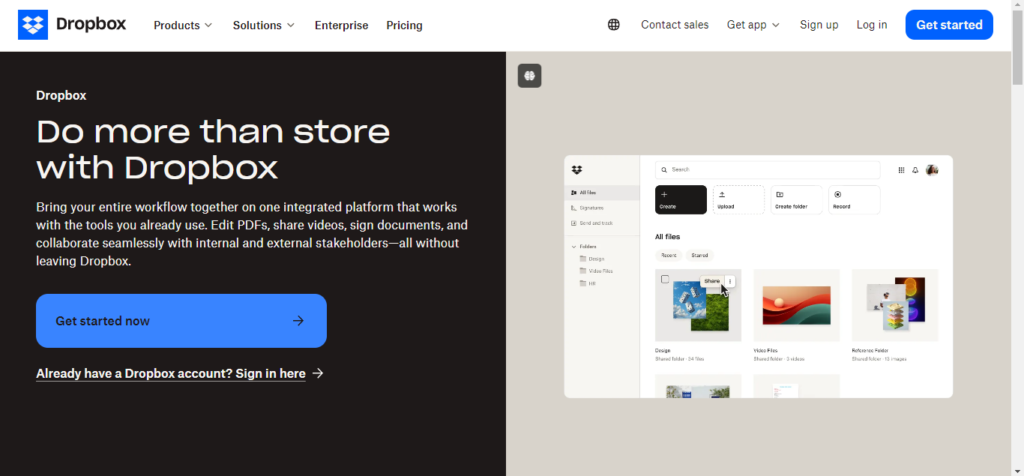
9. Dropbox – Secure File Storage and Sharing
Dropbox is a reliable file storage tool for business to store and share files securely. With its cloud-based system, you can access your files from any device and share them with team members or clients easily.
Key Features
Cloud Storage: Securely store and access files from any device.
File Sharing: Share files and folders with specific people.
Secure Access: Keep your data safe with advanced security features
Pricing Guide
Basic: Free – 2GB of storage.
Plus: $11.99 per month – 2TB of storage.
Family: $19.99 per month – 2TB shared storage for up to 6 users.
Professional: $19.99 per month – 3TB of storage with advanced features.
Business Standard: $15 per user/month – 5TB of shared storage.
Business Advanced: $24 per user/month – As much space as needed with advanced features.
10. Zoom – Reliable Video Conferencing
Lastly, for virtual meetings and remote collaborations, Zoom is an essential video conferencing tool for entrepreneurs. It offers high-quality video conferencing, screen sharing, and recording features, making it easy to stay connected with your team and clients.
Key Features
HD Video Conferencing: Host meetings with high-quality video and audio.
Screen Sharing: Share your screen for presentations or collaboration.
Meeting Recording: Record meetings for future reference.
Pricing Guide
Basic: Free – 40-minute limit on group meetings.
Pro: $14.99 per month – No time limits on meetings, 1GB cloud recording.
Business: $19.99 per user/month – Enhanced meeting features and support.
Enterprise: $19.99 per user/month – For large enterprises, with additional features and support.
Simplify Your Startup Journey: Essential Tools for Entrepreneurs
In conclusion, the right tools can make a significant difference in how effectively you run your business. By incorporating these essential tools for entrepreneurs, you can streamline your operations, enhance productivity, and focus on what truly matters—growing your business.
Therefore, for more insights and tips on optimizing your business operations, stay tuned to our blog. We’re committed to providing valuable resources to help entrepreneurs succeed in their ventures.
Artificial intelligence is abuzz with the launches of two advanced large language models giants (LLMs): Google DeepMind’s Gemini 1.5 Pro and OpenAI’s GPT 4o. These next-generation models promise significant advancements in how computers process and generate human language.
While specific details remain under wraps, here’s a deep dive into what we know so far about these exciting developments:
Hello GPT 4o
OpenAI hasn’t revealed many specifics about GPT 4o on its twitter account, but here are some potential areas of focus based on previous iterations and ongoing research trends:
Advanced Conversational Abilities: ChatGPT has garnered recognition for its engaging and human-like conversational style. This version might push this further, potentially incorporating emotional intelligence and context-awareness for more natural and engaging interactions. In addition, it has the ability to detect your moods as well as mimic them.
“This new version LLM has the ability to generate content with the command of audio, video, or text and comes under “Natively Multimodel.”
– Sam Altaman, OpenAI CEO
Enhanced Creative Text Formats: OpenAI has shown a strong interest in exploring the creative potential of LLMs. GPT 4o might excel at generating different creative text formats like poems, code, scripts, musical pieces, or even email marketing content in various tones and styles, i.e., humanly-written.
Focus on Developer Integration: Given OpenAI’s approach of offering API access to its models, there’s a chance that GPT 4o will be designed with developer needs in mind, potentially offering improved integration tools and functionalities.
“The updated model is much faster and improves capabilities across text, vision, and audio. The model will be free for all users, while paid users will continue to have up to five times the capacity limits of free users.“
By Mira Murati, OpenAI CTO
The improved version of all LLM when compared GPT 4o is the highest with 88.7% in general knowledge questions.
GPT-4o has safety measures in place to reduce risks like cyber threats and biased outputs. This includes filtered training data and post-training adjustments. They assess these risks and involve external experts to identify potential issues. While audio features are coming soon, for now, text and image inputs with text outputs are available. The model has limitations across all modalities, which they’ll continue to address.
OpenAI is making GPT-4-level AI more accessible with GPT-4o. It’s faster, cheaper, and has higher limits than previous models. Text and image features are available now in the free tier of ChatGPT and the Plus tier with increased message limits.
Voice mode with GPT-4o is coming soon to Plus. Developers can access text and vision features through the API. Audio and video access will be limited to partners initially. Overall, the complete version of ChatGPT will be accessible even for free users in the coming few weeks.
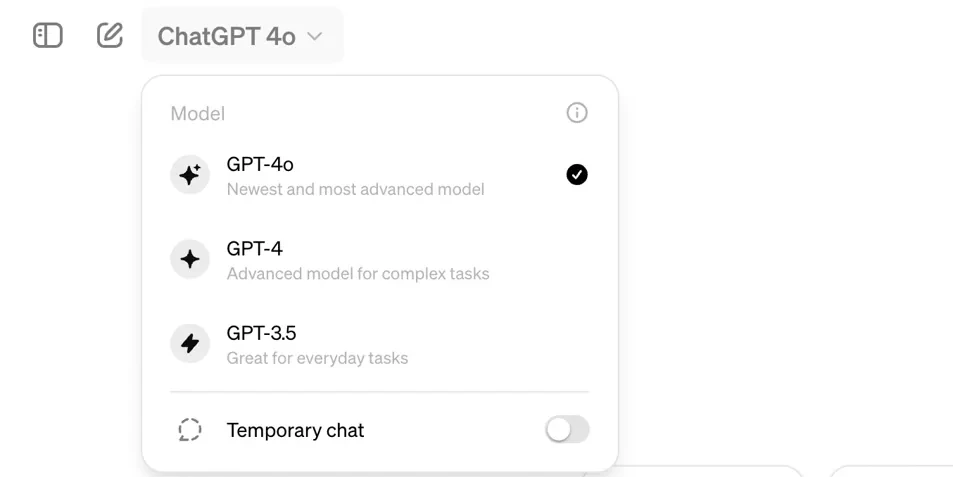
NOTE: As mentioned above in “Availability to Users,” the rollout is still rolling out quite slowly for desktop and mobile phones. You may not find it yet in your free tier account, but yes, you’ll get it in your free tier’s “advanced version drop-down menu” once OpenAI completes its rollout.
After previously- launching Gemini models, Google DeepMind’s thought thought to build upon the success of its new launch, i.e., Gemini 1.5 Pro. Let’s have an overview of how it boasts significant enhancements in several key areas:
Enhanced Factual Language Understanding: Leveraging Google’s vast knowledge base and search capabilities, Gemini 1.5 Pro is expected to excel at tasks requiring factual accuracy and information retrieval. Researchers suggest it might be particularly adept at summarizing complex topics or generating reports based on factual data.
Improved Reasoning and Inference: Early hints suggest that Gemini 1.5 has a stronger ability to reason and draw inferences from the information it processes. This could lead to more subtle and insightful responses to complex questions.
Focus on Accessibility: While details are limited, there’s a possibility that Google might prioritize making Gemini 1.5 Pro more accessible to a wider range of users through potential integrations with existing Google products or services.
The launch of Gemini 1.5 Pro and GPT 4o marks a significant step forward in the evolution of LLMs. Their capabilities have the potential to transform how we interact with computers, access information, and express ourselves creatively.
Meanwhile, you can also get an overview of other news or resources about the tech world.
We use cookies on our website to give you the most relevant experience by remembering your preferences and repeat visits. By clicking “Accept”, you consent to the use of ALL the cookies.
This website uses cookies to improve your experience while you navigate through the website. Out of these, the cookies that are categorized as necessary are stored on your browser as they are essential for the working of basic functionalities of the website. We also use third-party cookies that help us analyze and understand how you use this website. These cookies will be stored in your browser only with your consent. You also have the option to opt-out of these cookies. But opting out of some of these cookies may affect your browsing experience.
Necessary cookies are absolutely essential for the website to function properly. These cookies ensure basic functionalities and security features of the website, anonymously.
Cookie
Duration
Description
cookielawinfo-checbox-analytics
11 months
This cookie is set by GDPR Cookie Consent plugin. The cookie is used to store the user consent for the cookies in the category "Analytics".
cookielawinfo-checbox-functional
11 months
The cookie is set by GDPR cookie consent to record the user consent for the cookies in the category "Functional".
cookielawinfo-checbox-others
11 months
This cookie is set by GDPR Cookie Consent plugin. The cookie is used to store the user consent for the cookies in the category "Other.
cookielawinfo-checkbox-necessary
11 months
This cookie is set by GDPR Cookie Consent plugin. The cookies is used to store the user consent for the cookies in the category "Necessary".
cookielawinfo-checkbox-performance
11 months
This cookie is set by GDPR Cookie Consent plugin. The cookie is used to store the user consent for the cookies in the category "Performance".
viewed_cookie_policy
11 months
The cookie is set by the GDPR Cookie Consent plugin and is used to store whether or not user has consented to the use of cookies. It does not store any personal data.
Functional cookies help to perform certain functionalities like sharing the content of the website on social media platforms, collect feedbacks, and other third-party features.
Performance cookies are used to understand and analyze the key performance indexes of the website which helps in delivering a better user experience for the visitors.
Analytical cookies are used to understand how visitors interact with the website. These cookies help provide information on metrics the number of visitors, bounce rate, traffic source, etc.
Advertisement cookies are used to provide visitors with relevant ads and marketing campaigns. These cookies track visitors across websites and collect information to provide customized ads.